scrobblefy help and FAQ
if you were taken here by the scrobblefy application, then welcome! this page will hopefully go more in depth into any questions or problems you may have. if you've otherwise stumbled upon this page, please consider checking out scrobblefy! it's a music app that uses last.fm and spotify to detect your most listened to songs and allows you to generate playlists based on these trends.
general
scrobblefy was created with python using primarily the pylast and spotipy libraries, as well as tkinter to setup the GUI. you'll need both a valid last.fm username and spotify premium account to use scrobblefy. in addition, you'll need to create a spotify API application and pass some of the information from it into scrobblefy. all logins are authenticated through spotify itself, and any login information entered is deleted when closing scrobblefy.
spotify api
in order to automatically create playlists with spotify, you'll need your own API application, which requires a spotify premium account. in order to obtain an API application, click below to open a step by step guide with pictures showing how to sign up and what info you'll need.
creating the application
the spotify dev dashboard is home to all spotify API applications. if you're not signed in to your spotify premium account, click log in at the top right of the window and sign in. once you're all signed in, you should be able to access the dashboard by either clicking the dashboard link again or by clicking your profile at the top right and navigating to dashboard from there. you'll know you're in the right place when you see a screen like this.
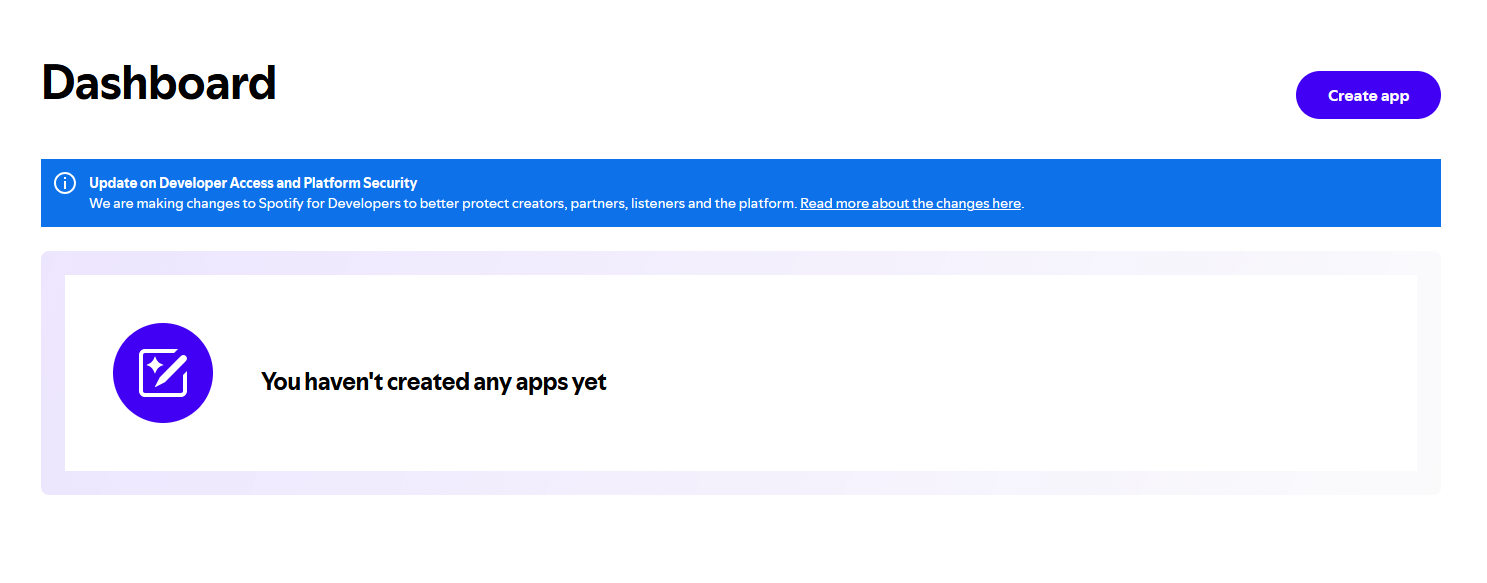
once on this page, click the create app button at the top right to access a screen that looks like this.
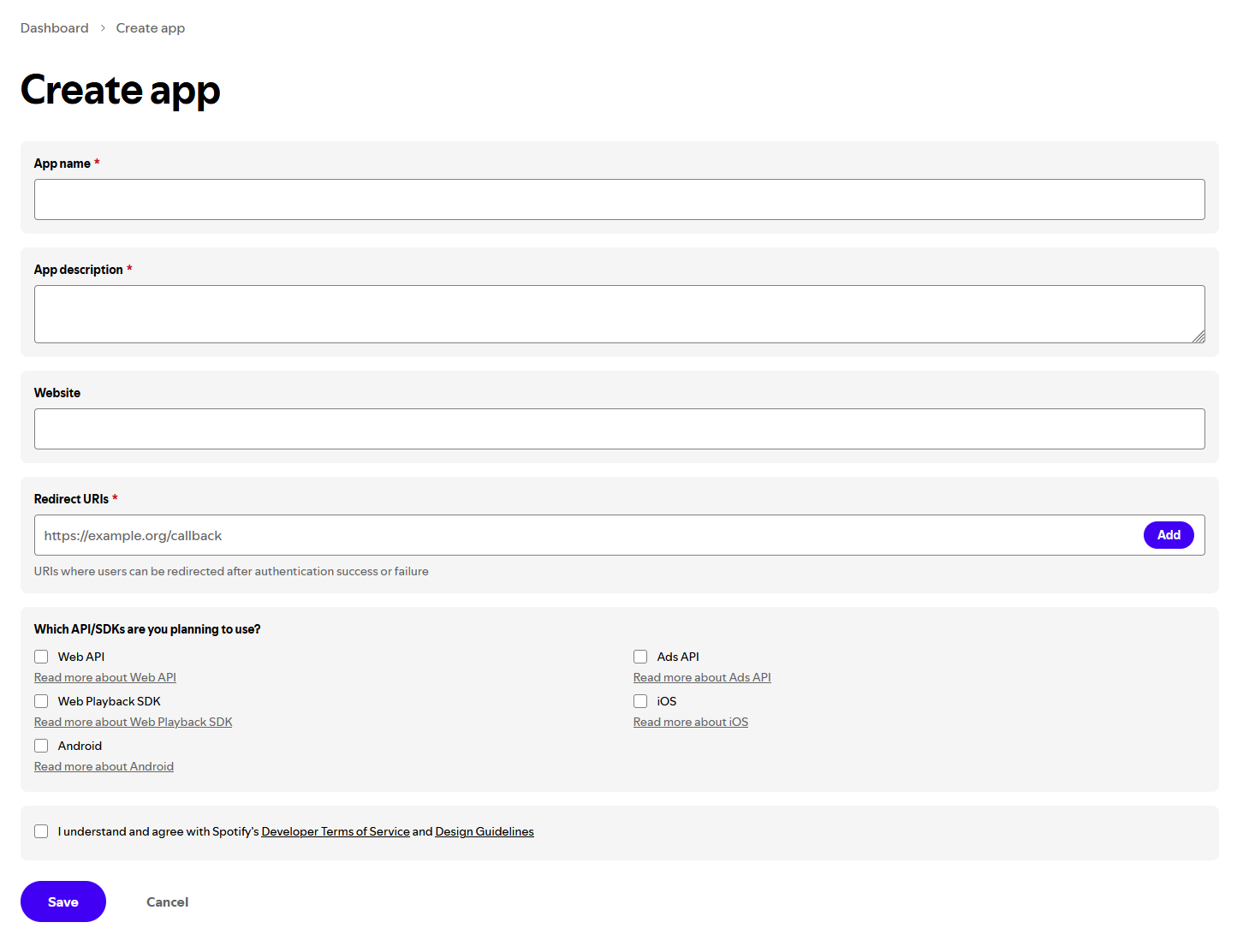
the two most important of these fields are the redirect URI and the checkboxes. the app name and app description can be filled with whatever you'd like as long as it looks legitimate. the website box can be left blank. the redirect URI is where the application will look to sign you in when authenticating your info. i strongly recommend "http://127.0.0.1:1410/" but you should be able to use any local address with an open port as long as you copy it exactly when entering your info into scrobblefy. also, make sure you click the button to add the redirect URI (although the application shouldn't let you proceed if you don't). for the checkboxes at the bottom, the web API box must be checked, but you can check as many of the others as you'd like if you plan on using this API application beyond scrobblefy. an example API application is pictured below.
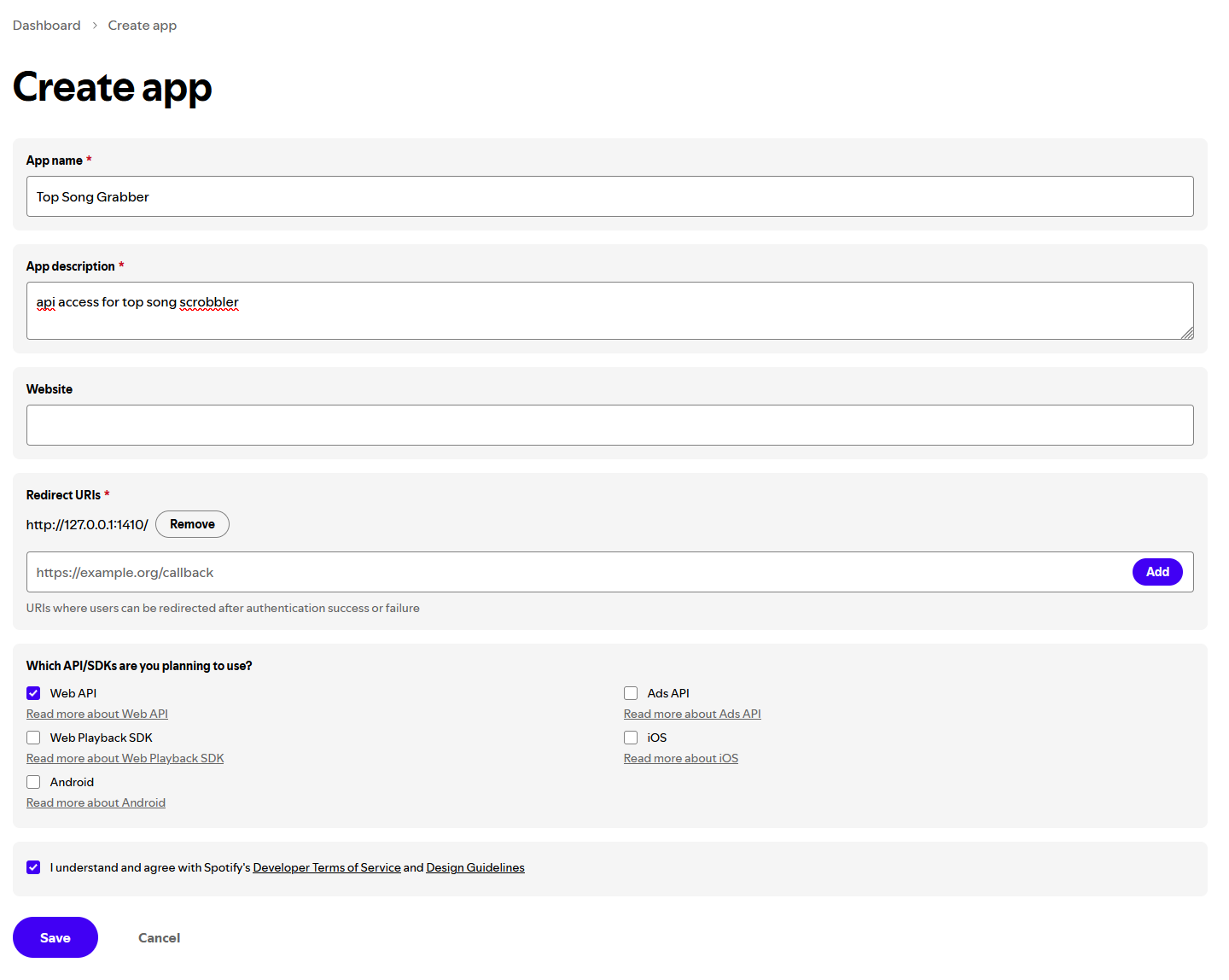
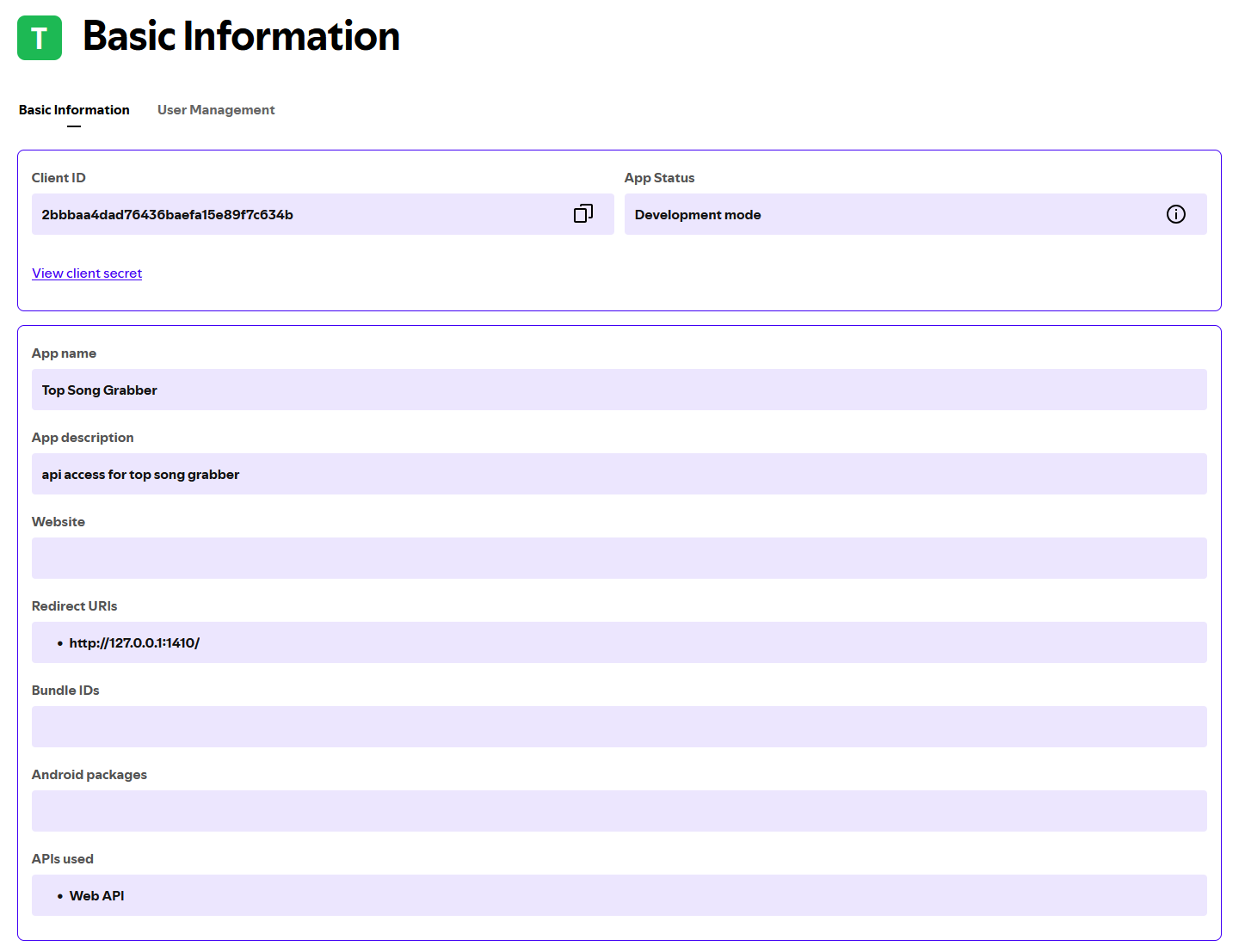
after checking "i understand" at the bottom and clicking the save button (assuming no errors), you should be taken to your completed application (pictured below), where you can retrieve your client ID and redirect URI to pass in to scrobblefy! these should not change, so you can feel free to save them in a text document or anywhere else for easy access in the future.
if you have any other questions about this process or issues creating an application, please reach out! my email is featured on the about page of this website, and i'll try to get back to you as soon as possible.
FAQ
i have not been asked any questions yet but if any reoccurring ones appear i will include them here!